
You click a shared Google Drive link and instead of the file you get a wall: “Sorry, you can’t view or download this file at this time.” That message is the download quota exceeded error, and it is one of the few download problems that has nothing to do with your PC, your browser or your connection. The limit belongs to the file, not to you.
What the limit actually is
Google caps how much a single file can be viewed or downloaded by everyone, in a rolling 24-hour window. A popular file shared on social media, in a course or in a public forum can burn through that allowance in a morning, and everyone who arrives afterwards sees the same wall until the window moves on.
A few things follow from that:
- It is not a virus, a corrupted file or a problem with your account.
- Retrying the same link immediately changes nothing.
- Signing out, clearing cookies or using a different browser does not reset it.
- A VPN does not help, because the count belongs to the file.
Six fixes for download quota exceeded, best first
1. Make your own copy
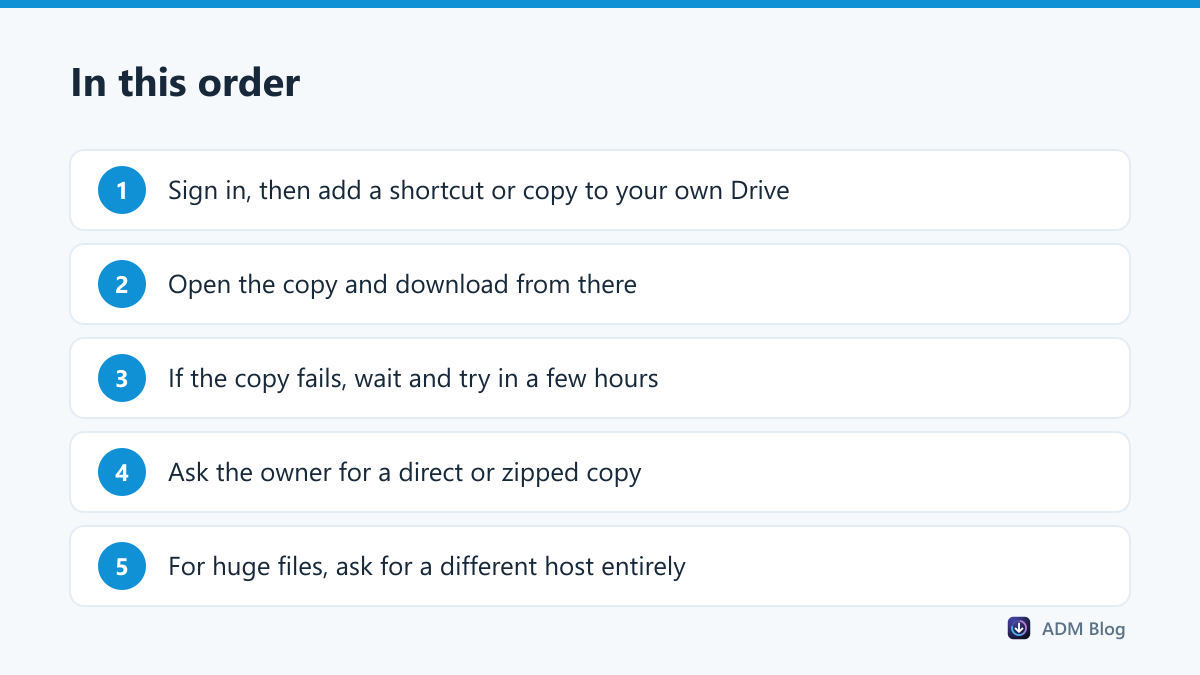
This is the fix that works most often. While signed in to a Google account, open the shared link and use Add shortcut to Drive, or for a file you can view, Make a copy. Then open the copy from your own Drive and download it from there. Copies that already exist in your account are not blocked by the original file’s counter.
2. Download the copy, not the link
Go to your Drive, find the copy and use the download button there. Google’s help page on downloading files covers the normal download options, including downloading a whole folder as a zip.
3. Wait for the window to move
The counter is rolling, not a midnight reset, so the file often becomes available again a few hours after the rush. If you are not in a hurry, try again later the same day.
4. Ask the owner to re-share it
The owner can make a copy of their own file and share the new one, which starts with a fresh counter. For a file that will be downloaded by many people, that is the real solution.
5. Ask for a different host
Drive is built for collaboration, not for mass distribution. Anything meant for hundreds of downloads belongs on a proper file host or a web server, where there is no per-file ceiling.
6. Check it is really the quota
Permission errors look similar but behave differently. If the message mentions access or permission rather than “at this time”, you need the owner to share it with your account.
| Message | Cause | Fix |
|---|---|---|
| Can’t view or download at this time | File hit its 24-hour limit | Copy to your Drive, or wait |
| You need access | Not shared with your account | Request access from the owner |
| Failed – Forbidden | Link expired or sign-in needed | Open the share page again |
| Zip never finishes | Folder too large to pack | Download in smaller batches |
What does not work, and why
Search results are full of suggestions that waste time. These are the ones worth skipping:
- Clearing cookies or using incognito. The counter belongs to the file, not to your browser session.
- A different browser or device. Same file, same ceiling.
- A VPN. It changes your address, not the file’s usage in the last 24 hours.
- Hammering the link. Repeated attempts keep returning the same refusal, and add nothing but noise.
- “Download accelerator” links posted in forums. Sites promising to bypass Drive limits are a common source of adware; our checklist on whether a file is safe to download explains what to look for.
The only approaches that genuinely change the outcome are the ones that put a different copy of the file in front of you: your own copy, a fresh copy from the owner, or a different host.
Large Drive files on a shaky connection
Once you can reach the file, the next problem is finishing it. Big Drive downloads come as one long transfer, so a dropped connection sends you back to the start. Keep the PC awake, use a cable where you can, and prefer a tool that can resume; our large file checklist and the guide to pausing and resuming downloads cover both. Advanced Download Manager keeps each transfer in a list you can resume or retry, which matters when a 20 GB folder stops at 80%.
When a folder arrives as several zip parts, download them all before extracting, and watch for duplicates, as explained in downloading multiple files at once.
Frequently asked questions
How long does the Drive download limit last?
It clears as the rolling 24-hour window moves. In practice, files often work again within a few hours of the peak.
Does making a copy use my storage?
A full copy does count against your own Drive storage. A shortcut does not, but a shortcut alone does not always lift the limit, so a copy is the reliable route.
Can the owner raise the limit?
No. The ceiling is set by Google. The owner can only share a fresh copy or host the file elsewhere.
Why do some people download it fine while I cannot?
Viewers who copied the file earlier, and the owner, are working with a different file. Only new downloads of the original are blocked.
When Drive reports download quota exceeded, the file is simply too popular for its own allowance. Copy it into your own Drive, download the copy, and ask the owner to host large or widely shared files somewhere built for the traffic.